Skip to content
LingoSprout

Works in airplane mode

An offline learning app for kids — everything is already in the download.

There is no “download this lesson first” step in LingoSprout, because every picture, word and recording ships inside the app. Put the device in airplane mode and the whole thing still works: cards, quizzes, practice, rewards, profiles and the Parent Area. The only thing that needs a connection is buying or restoring the optional unlock.

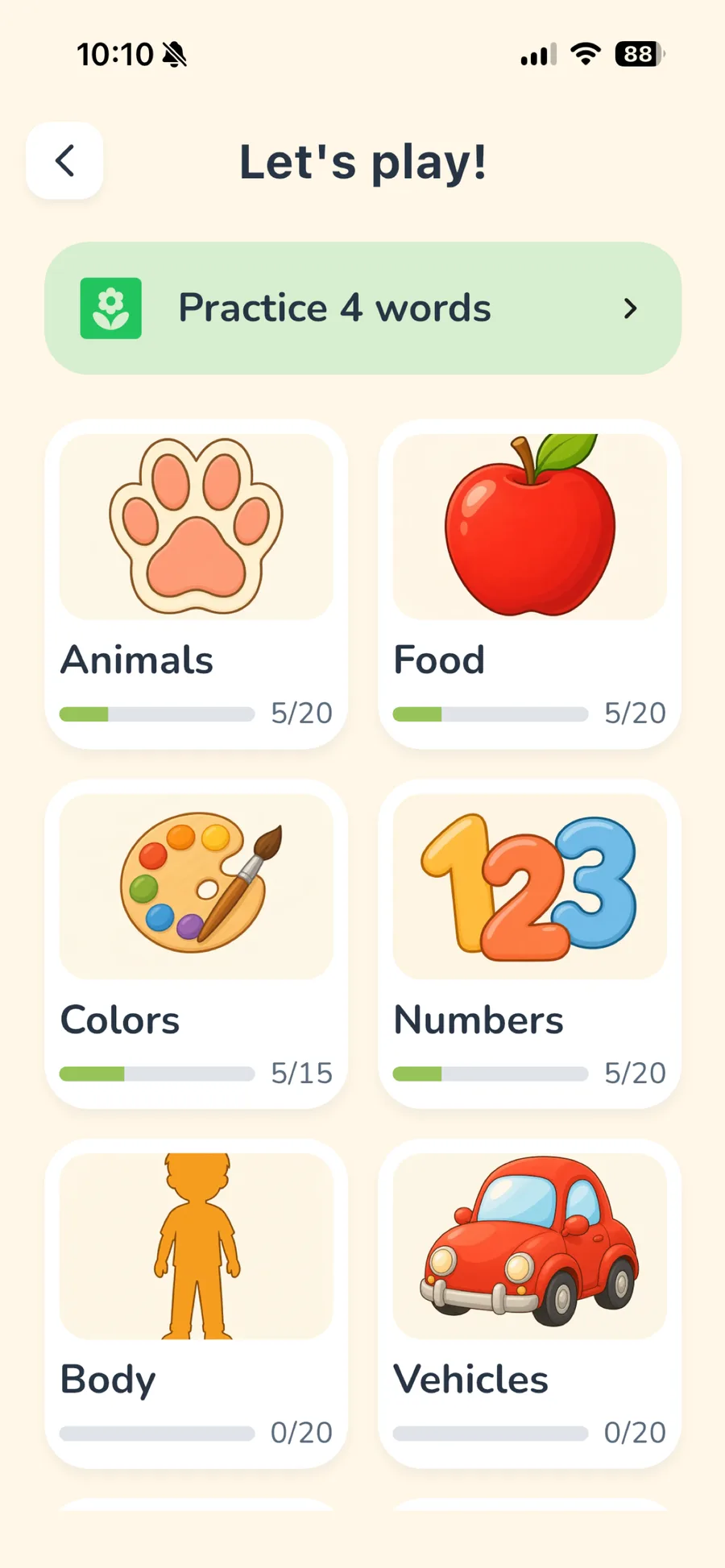
LingoSprout Play hub with game choices and a Practice banner
Quizzes and practice run with no connection at all

Offline-first, not offline-capable

Plenty of apps describe themselves as working offline and mean that you can pre-download a unit, or that some cached subset survives. Then the plane takes off, the child taps something, and a spinner appears.

LingoSprout is built the other way round. The content is not fetched at all — it is part of the binary you installed. There is no sync, no account to be signed into, no cache to warm and nothing to prepare before a trip. The app has no idea whether you are online.

The one exception, stated plainly

Needs a connection
Only this: Starting or restoring the Premium Lifetime purchase. That is the app's only intentional network use; it is handled by Apple or Google with RevenueCat as the entitlement provider.
Content downloads after install
None. Nothing is fetched at any point.
Account required
None. There is nothing to sign in to.
Where progress is stored
On the device. It is not uploaded, and it is not in an account — which is also why deleting the app deletes it.

Where this tends to matter

  • Flights and long drivesThe usual reason parents look for this. No preparation needed before leaving.
  • Travelling abroadNo roaming data spent, and no dependency on a hotel connection.
  • Trains, waiting rooms, patchy coverageAn app that half-works on a weak connection is worse than one that ignores the network entirely.
  • Keeping the device off the network at allA perfectly reasonable choice for a young child's tablet, and this app does not argue with it.

Questions, answered

Good to know.

Are there offline educational apps for toddlers?

Yes, though fully offline is rarer than it sounds. LingoSprout is one: every picture and recording is bundled in the download, so cards, quizzes, practice, rewards and the Parent Area all work with no connection and nothing to pre-download.

What language learning apps can children use while travelling?

One that needs no connection and no account, so there is nothing to set up before you leave and no roaming data spent. LingoSprout works in airplane mode from a first launch after install.

Do I need to download content before a flight?

No. There is no per-lesson or per-category download step at all — the content is part of the app you already installed.

What happens to progress if there is no account?

It is stored on the device, per child profile. Nothing is uploaded. A grown-up can export a progress file to keep or move to another device; if the app is deleted without one, the progress goes with it.

Ready before you leave, with nothing to prepare.

Install it, put the device in airplane mode, and 5 free categories are there.